• Home
  • About
  • Travel
  • Fitness
  • Photography
    • Birth
    • The Story of You
  • Disclosure and Privacy
facebook twitter instagram pinterest bloglovin Email

This day I love.......

We have been playing with a new app recently called POTATOYZ.  POTATOYZ aims to bring the digital to real life.  The app is aimed at children aged 4 and up but my youngest had no issues with it.

On the left side of the screen you see your creation and have the ability to move the POTATOYZ a full 360 to design each view.  There are a wide range of design options to choose from including free drawing, patterns and stickers.  This allows you to get as creative as your imagination will let you.  On the right is where you place your design items.


Once you have created your POTATOYZ you can take a photo of your creation and you can also choose to have it 3D printed.  Luckily the 3D parenting option asks for a parental code so your children do not go ordering lots of 3D figures.

Each figure is printed in France and costs 14.99euros and around 4cm is height.  We have not yet printed a figure so cannot comment on the quality.

I like the idea of this app, particularly if you wanted something unique as a gift.  Your child could create their very own keepsake something which is unique to them or even as a gift for a loved one.  The app is simple to navigate and very intuitive.


The app is free to download and I have not been compensated in anyway for this review. 
Share
Tweet
Pin
Share
No comments
Blue plant tales is an app available for iOS and aimed at children aged 3-9 years . The app is free to download and can be found via a quick search. Blue planet tales currently contains 17 books each book can be previewed however to access the full book costs £1.99.  The books are available in Spanish and English.

Blue planet tales is a way to get children interested in reading and learning about historical things, such as the first dog in space and the discovery of America. The books contain fun interactive quizzes in s way to reinforce the learning.  It is clear to see why the app is popular in the classroom.  The books have the option to be read by yourself or read out loud. Whilst the books are good and the interactive quizzes give a great way to reinforce learning, I do feel the amount charged per book is too high.

blue planet tales

The app is easy to use and navigate, either by clicking on the image in the Map or selecting the book itself. The books flow at a nice pace when read out loud but I feel the cost for the book is too great. It is however a great concept app to get kids learning.

The app is free to download and I have not received any payment for my opinions. 
Share
Tweet
Pin
Share
No comments
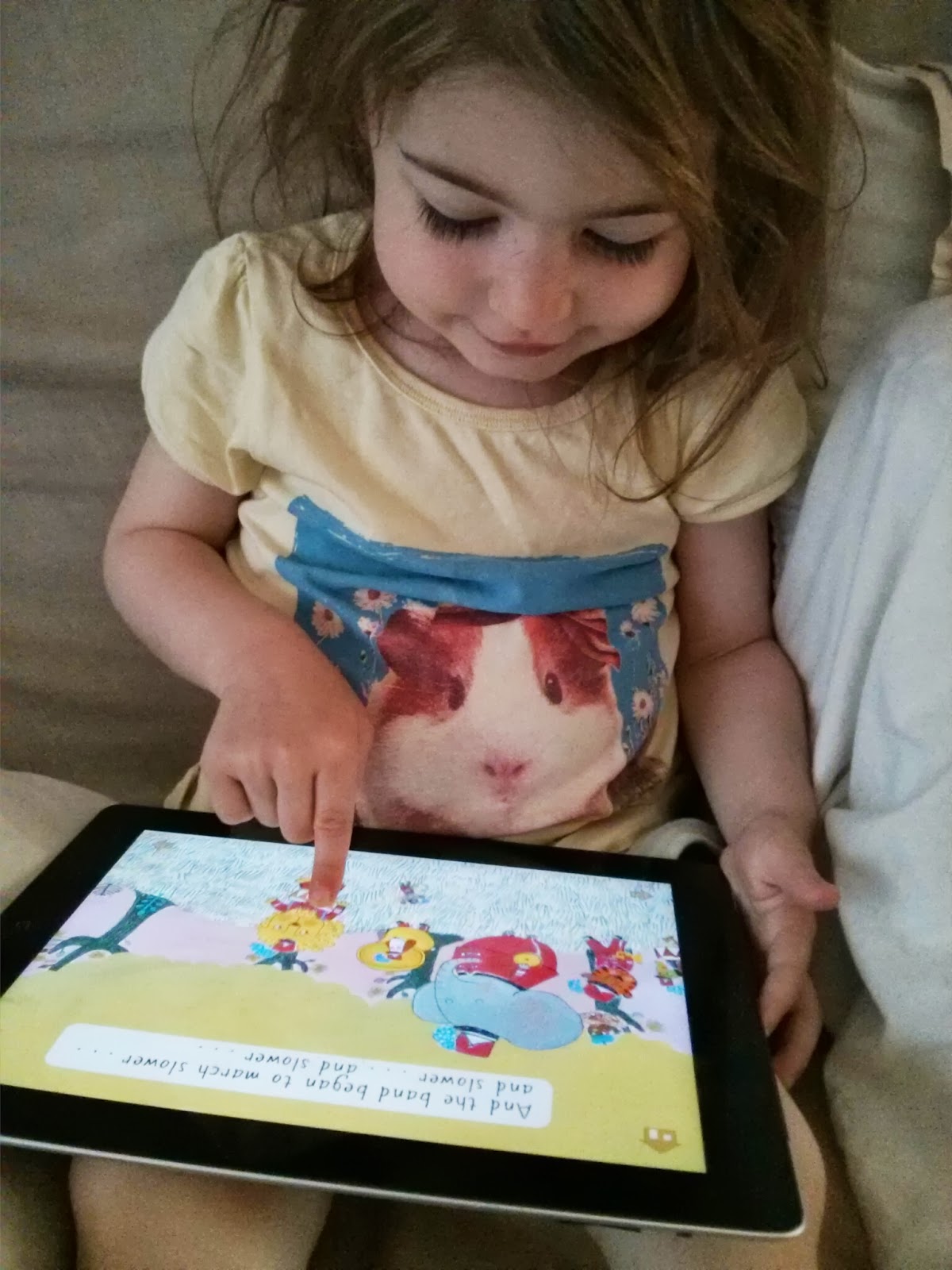
My eldest has started to bring home books from school to practise her reading.  She is showing a keen interest in reading and is, in my opinion, really picking up how to sound out words.  I want to support her learning at home and try and do this in a fun way.  One of these methods is with the use of apps on the iPad.

One such app we have been using recently is ‘Read with Biff, Chip and Kipper’ which has been developed by Gazoob.  The app is in association with Oxford university press and features 48 books supporting children across all 6 levels of reading and phonics.  The main features of the app are:

- Read with your child or listen as they read to you

- Auto Play feature allows children to enjoy listening to the whole book being read to them

- Hints and tips in each book for you to use with your child when reading and talking about the story

- Each book features a list of common words used within

- Puzzles and activities – each book encourages your child to have fun looking for details throughout the story as well as finishing off with an enjoyable game


The app is great fun to play and as they are characters my daughter already knows she related much better to the story.  I think this aids her learning.  One of the things I like about the app is it also shows you how to form the letter instead of just showing you the letter.  The app is free for the first two books at level 1 and is a great way to support learning at home and keep learning fun.

practising reading

I was provided with a code to download the first 3 levels for a review.  All words are my own personal opinion. 
Share
Tweet
Pin
Share
3 comments
Following on from the Gruffalo games app which my girls adore, we have now downloaded Gruffalo photo.  Gruffalo photo allows you to take photos with the Gruffalo and the characters from the book.  Now if your kids are like mine, they take hundreds of photos and then your memory and camera feed become full and you spend ages deleting them.  Mainly because most of them are photos of the floor/ceiling.

The Gruffalo photo app is different.  It stores the photos inside the app, freeing up your camera feed.  However if you wish to download the photo into your camera feed you can.  The button is cleverly hidden so you need to go back into the main iPad settings to enable it.  I like this rather smart feature.  You can turn it off again once you have downloaded your photos.

Not surprisingly my girls have a lot of fun with Gruffalo photos.  It is a nice app for when they are just a little tired and you need to keep them awake a bit longer.  A lovely app to share with friends and just have a giggle.  The girls love adding in stickers and the frames and have created some great pics.


The Gruffalo photo app also features some great educational pieces, encouraging more user interaction


If you have a Gruffalo fan then I would recommend the Gruffalo photo app.  The app retails at £2.99

I was provided with a code to download the app, all words and opinions are my own. 

Share
Tweet
Pin
Share
No comments
This week it is waste less live more week.  We seem to live in a society that when something is broken we no longer fix it, as it is simply more convenient to replace it.  We need to rethink and think about the environmental and social impacts that this has.  Sometimes all we need is a little creativity and we can make something new again


I am more than happy to give a creative project ago, and whilst it may not always work out 'Pinterest perfect' I would still rather try.  I have rather a creative mind it is the putting into practise that often let's me down.  

When I was sent some Sugru I got my head in gear and thought up a few projects.  If you don't know what Sugru is after watching the above video, Sugru is a self setting rubber that feels like play dough and it is able to bond to almost anything.  When left over night turns into a flexible silicon.  I came up with an idea.

Sugru is brilliant for fixing things I fixed some cables, my phone case and some pan handles, but I wanted to make something.  The first thing I made was a radiator cap, to be honest not the most exciting but it was a necessity and I knew Sugru would withstand the heat of the radiator.  It works and to this day, almost three months later, is still doing the job.

If you saw my recent post in which I made a snow globe you would have seen my snowman that I made from Sugru.  The lovely thing about Sugru is that you can mix colours together to get an exact match.  I had made the snowman from white Sugru but didn't have an orange so I mixed red and yellow.

I was then able to make a nose for my snowman.


After my snowman and my radiator cap I then got thinking again.  This time I decided to make something even bigger.  I made an iPad case.

How to make an iPad case

1. Take an old hardback book.  Make sure that the tablet/phone is smaller than the book, as the book forms the basis of the cover.  Also check the thickness of the book.

2. Remove the pages from the book

3. Cover the book with your choice of paper.  Alternatively if you like the book cover then skip this step.  I also covered the book with sticky back plastic just to make it wipe proof.

4. Cover the iPad/tablet/phone with cling film.  This stops the Sugru sticking to the iPad/tablet/phone.

5. Place tablet onto the cover and mark the corners.  This is where the hooks will go. Take tablet away and put to one side.

6. First place a dot of Sugru over the marks.  Then using 4 equally sized balls roll them into sausages and on each corner press the sausage into the Sugru dot.

7. Put the tablet back onto the book.  Then bend the sausage over the tablet to form a hook.

8. Leave to dry over night.

9.  Remove tablet and take tablet out of cling film.  Your case is now ready to be used.


For more ideas on Sugru follow my Pinterest boards.

I was provided with Sugru to review.  All words and opinions are my own.

Share
Tweet
Pin
Share
No comments
I have always loved the idea of learning another language, but whenever I have tried have always really struggled.  I often wondered if I had learnt at a young age if this would have been different.  Pacca’s Carousel is an interactive app designed for 2 -6 year olds to help aid learning another language.  

There are two versions available a free lite version and the full version priced at £1.49.  It is well worth purchasing the full version as you do get quite a lot for your money.  Pacca’s Carousel features the following languages  English, French, Arabic, Spanish and Cantonese and is being updated throughout 2014 to include other languages such as Mandarin.  

Pacca is a horse who helps children to build their very own carousel.  Children choose colours, numbers and objects for the Carousel in the chosen language and there are then fun interactive games to play.  The girls enjoy playing with Pacca and love the sounds the app makes to interact with them.  I really like the animation of Pacca.  My eldest is learning French at nursery and the app is a lovely way for her to aid her learning.  My youngest at 1 finds the app really good fun too and loves to dance to the music.

Pacca Corousel

Share
Tweet
Pin
Share
1 comments
One of the items in my goody bag from Britmums Live, was a phone case for an iPhone 5.  I really liked the feel of the case, it felt very hard wearing but yet was slim and still practical.  The only problem for me is that I don't own an iPhone.  Well its not really a problem I love my phone, just I could not use the case.

I checked out the website of the company who made the case, Speck.  I was really impressed with what I could see and contacted them to see if they would send me a case to review.  I picked a FitFolio case for iPad in Love birds Teal.  I love all the different designs and styles and had quite a tough choice choosing.  What is great about Speck products is that they all come with a 1 year warranty and delivery, for me  anyway, was very quick.

I picked the Fitfolio for a few reasons:

1. I really loved the design.  The pattern really spoke to me, I simply loved it.  The teal colour is also one of my favourites it was just right

Love birds Teal FitFolio

2. I loved that the case not only protected the back of the iPad with its form fit cradle but also the screen was protected too when not in use.  The soft micro suede interior cushions and protects the screen and thanks to the snap shut closure the lid also stays closed.  Integrated magnetics in the cover also activate the sleep/Wake functions

snap closure

3. When closed all ports are still accessible.  Which is great as when charging the iPad is still protected.

still access charging point

4. Like the case in my Britmums live bag, this case also is slim and lightweight.  I hardly notice the case is there, almost like a second skin to the iPad.  Yet I know how well protected it is.  You can feel the form fit cradle holding the iPad in place securely and the durable padded finish giving that extra piece of reassurance.

5. There are 4 viewing angles, so no matter what I want to do with the iPad, play games, write, read, watch videos and if I am standing or sitting I can find a viewing angle to suit me.

getting the right angle4 viewing angles

I am very happy with my FitFolio.  I know my iPad is well protected and the case looks stylish too.  As far as I can tell it adds no extra weight to the iPad and its super slim.  Amazing protection.

Speck also have a great range for other smart phones and tablets.  One of my particular favourites is the Smart flex for Samsung S4.  Its a protective case and wallet all in one! 


Share
Tweet
Pin
Share
No comments
Sometimes when we are stuck out and about or as a treat my eldest gets to play on the iPad.  We were recently given codes to download two apps, to test and review.  They are Wee Kids Fun and Wee Kids Draw & Colour.

Wee Kids Fun

The app is priced at $2.99.  My eldest daughter, at 3, enjoys this app.  She figured out what to do.  The main game is to match the image to its shadow and drag the image to the shadow.  My eldest really enjoys this game and talks about the different shapes/images she can see as she goes along.  The images are bright and colourful which makes it more appealing. 

shadow game

There is also a slightly harder game.  It is a jumbled picture which you move the squares around to re make the original picture.  As the level progress the puzzle gets harder.  This game at the moment is a little too complicated for my eldest, but I have no doubt that she will soon want to play.  There is a good amount of puzzles too to keep little ones entertained for a good while

arranging picture

Wee Kids Draw & Colour

The app is priced at $1.99.  There are pre draw pictures for you to colour in.  By scrolling along the bottom of the picture there is a wide range of colours to choose from.  Tap to select a colour and then tap the section of the picture to colour it in.  Both my girls enjoy this section of the app.  My youngest is 15 months.  I like the bold drawings and that there is a large selection of colours to choose from.  It s also easy to use for the younger children too.

colour in

My eldest daughter really enjoys the free draw section of the app.  A wide selection of colours is available again, which makes a great refreshing change.  My eldest found it so simple to use that she drew this elephant

its an elephantdraw a picture


Share
Tweet
Pin
Share
No comments
Today is the official launch for the Jump up Join in #JUJI app.  The app has been developed by David and Carrie Grant along with Egmont UK and is currently available for ios.  The girls and I came across the #JUJI range when we read the book 'Lions Speedy Sauce', both girls love this book and the CD which accompanies is a favourite in the car.

We were very excited to be invited for a sneak peak at the app.  The girls love trains and I know this because of this face

happy train face

I managed to keep the girls occupied

books on the train

But they did make a bit of a mess

making mess on the train

We arrived at Egmont UK and I have to say a big thank you to all the staff who were all so welcoming and really looked after us, also to apologies for my youngest who decided to see how much mess she could make, despite my best efforts of trying to tidy up after her.

just making mess

It was time for the big reveal.  Carrie and David introduced the app and explained what they wanted to achieve.  I have to agree with the ideas they had.  I have struggled to find a way to make music really fun for the girls.  I learnt to play piano at 5 and the lessons, if I am honest, where never much fun.  My eldest is showing a very keen interest in music and I want to help her pursue it without pushing her. 

David and Carrie Grant

I have tried to find apps to help but either the sounds are out of tune/key and often the wrong noise or a noise you would not associate with that instrument comes out and its rather off putting/annoying.  The way that #JUJI works is that there is a segment for everyone.  A story, which really engages my 2 girls, games to play, the more serious but still fun side [like scales and rhythm] and making instruments.  The app reflects this.  

The app costs £2.49 and when I first heard this I did think to myself, that is a lot.  Actually though now I have seen the app and played with it, its really well priced.  The app consists of an interactive story.  The girls can click on characters within the story and they animate and make noises.  It makes reading fun and engages them to want to do more.  All the time they are learning whilst playing. 

#juji app

The story can be narrated or read yourself.  This is great as my eldest sits and puts the story on for herself to listen to.  There are two fun musical sections, you can play the bongos or climb the musical stairs.  The bongos teaches rhythm and the stairs the scales.  Both sections you can freestyle, which my girls love, or you can play the games.  The games involve listening to a sequence and repeating and as the levels increase the difficulty follows.  It does get quite hard.  What is great is that no matter how great you perform you still get a star, bronze - gold.  I like this because I believe that encouraging children to try and not to see failure as a bad thing but more to learn from it is how we can become better and develop that given skill.

girls having funeldest navigating app

 The final part of the app is where you Jump up and Join in.  You can select a face or take a picture of yourself.  Add an outfit and a backdrop and then record yourself singing along to the Jump up join in theme song.  The video is then saved and you can add it to facebook, or any where else you want to.  I was kind of dreading this part of the day as I have been told many times in the past I cannot sing.  I therefore know I cannot sing and am rather embarrassed at doing so in public.  It takes me a lot to sing in front of the girls, so far they have not judged me so I am OK.  

We have had a lot of fun with this part of the app, the girls like watching themselves dance to the song.  It is such a great way to encourage little ones to enjoy music and have fun whilst learning.  Both my girls youngest is 1 and eldest almost 3 love this app and I can see it growing with them as they start to engage more with the games.

Playing again

A beautiful day out and a great app for the girls to play with.  I have found, at last, an app that can help my daughter develop her love for music and have fun at the same time. 

We paid our own way to attend the event.  We were provided with ta code to download the app for free.  All thoughts and opinions are my own.


Share
Tweet
Pin
Share
No comments
For the past month I have been trialling a new baby monitor, BabyPing.  I was sent the monitor to trial but have to return at the end of testing.  What makes BabyPing different to other monitors on the market is that you use your iPhone or iPad as the monitor.  

BabyPing is a secure Wifi baby monitor that allows you to use your iPad or iPhone to monitor your baby/child whether at home or away.  I found this idea fantastic as it would mean one less unit to carry around with me.  I could carry on with my work and be alerted if my daughter stirred.

I have to say the image quality is fantastic.  Even in pitch black I could see my daughter clearly, and discover that she does move around, she was put in with her feet at the bottom of her cot

video feed

The other really great feature for the video is there is no light from the unit in the baby room, which means no annoying little green light that wakes up your baby, I have had this in the past.

The audio as well was crystal clear, I could hear her breathing which was very reassuring and we had zero interference.  Previous monitors have picked up static.  

I loved how simple it was to set up, download an app, add unit to Wifi, it was so quick and you can do it all without a computer.  I  think the instruction booklet is about 4 steps.  It is very easy to do, even I managed it!  Everything is secure to your Wifi network so even if next door purchased a BabyPing they cannot see your video.  

Another great feature is that you can continue to use your iPad/iPhone as you would normal and BabyPing runs in the background, alerting you if needed.

I did find a couple of downsides and the first is the size of the camera, its is a square 8.5cm x 8.5cm.  This is rather big and its also not the lightest of units.  I suppose for the technology though it might be to be expected but its still a large size for a baby monitor.  As far as I was able to tell there is also no temperature monitoring on the unit.  

There was a delay between the noise in my daughters room and it appearing on the monitor.  I appreciated this is down to our wifi, but often I had heard her cry before it came through the iPad.  This sometimes meant  when I had got to her she was upset, as had been left longer than normal.  

The final issue for me was that often I would be unable to use BabyPing at all.  If I sat upstairs I had no issues whatsoever but as soon as I went downstairs, it lost connection and was unable to reconnect.  This left me frustrated on a number of occasions.  BabyPing can therefore only be as good as your wireless signal, so if you are in a room with weak signal your BabyPing signal will also be weak.  Whilst it does alert you to this fact there is little that can be done when the signal is weak.  I was however still able to use the Internet so the signal was strong enough for Internet use but not BabyPing which was rather frustrating.

If you have a good wireless signal and don't mind the size of the camera unit than I cannot recommend BabyPing enough.  The audio and video quality are the best I have ever seen of a baby monitor.  The downside for me was the lag and the unreliability of signal.  BabyPing will be available soon on other ios as at the moment it is iPad/iPhone only.  
Share
Tweet
Pin
Share
2 comments
I recently reviewed twinkl an amazing company who provide such lovely hand drawn resources for Children.  I found out about an app they have for iPad and iPhone and was eager to take a look, as all their other items are fantastic.

I downloaded the free version of the app, and gave it to my 2 year old to have a look at.

twinkl colouring app

There are 4 categories to choose from and each has 5 images to colour:

Animals
Fantasy
Under the Sea
Pirates

Well she is a little Pirate obsessed at the moment so she went straight for that.  She found the app so easy to use, I did not have to show her what to do she was straight on with it.  She tapped the paint at the bottom of the screen and selected the areas to colour.  She added elements, such as a bow tie and fishes, to the drawing by pressing the smiley face icon.  She even used the pencil icon to draw freehand, which she loved.  It was even great that you could change the background from a wide selection.

You are able to connect to other Ipads to share drawings or email, twitter, add to camera roll or copy them to share with family and friends.  I think the only option missing is perhaps Pinterest, as it would be nice to create an album of my daughters art work.  

You can add to the images already in the library and a further pack of 5 images is £0.69 except for the Christmas pack where you get 10 images.    Though to be honest I haven't needed to buy any more as there is such a great selection in the free version that it has kept my daughter entertained for some time.  If I did though I would not hesitate to purchase as they are good value for money in my opinion.

I found this app everything I would expect coming from Twinkl, fun, easy to use and beautifully illustrated.  My daughter loves it and keeps asking for the iPad to do colouring

Twinkl colour app


Share
Tweet
Pin
Share
2 comments

I have family all over the world and also all over the UK. Family is very important to me and I would love to see more of them and they want to see more of the girls growing up. This often involves lengthy emails with pictures attached or pictures shared on other social networking platforms. I am careful however about the pictures I place on these and its not the same as having an album to store all our pictures and videos of the girls as they grow up that family and close friends can view.

23Snaps is a private social networking tool which lets you capture, cherish and share the special moments in your child's life. I was particularly excited to use this as, as previously mentioned, it would be great to share our photos and videos with our widely spread family.

The application is free to download which is a great bonus and currently available for iPhone and iPad with the Android app due for release next week. There is also the online web version which is again free to use.


One of the features that I particularly like is that you create each of your children their own page. On this page you can look at photos or videos, which are displayed in pin style, in chronological order. You are able to enter a text update, so for example when they take their first steps or their first tooth can be recorded. The thing I really like within this is the function to enter a measurement such as height or weight. I'm often asked how much did she weigh when she was 6 months and now I can find out.

The app is smart enough to work out each child's age to month and day and so when a photo is entered it displays this data along with the date on each picture. You are therefore able to create for each of your own children a personalised story of their childhood. Family and close friends can comment on your pictures enabling a sense of 'being there' even when far away.


This functionality alone is brilliant; my family can see at a glance all the key milestones of my children's development and see how they are growing. There is no more guessing how old was she at Christmas, at what age did she take her first step, its all there for us to see at a glance. 

I found the application very easy to navigate through and easy to use. There is a news feed which shows as it would suggest a collection of what has happened, again in chronological order. It was great to see the removal of duplication as I could enter my husband and the application records him as my partner, enabling us both to edit our children's pages. You also have the option of viewing the news feed in calender mode, so if like me you have taken a picture of your children almost every day, you can see throughout the month how they have changed.

I absolutely love this application my family have already started using it and there is not much more I can say about it other than to try it yourself, its free and its a fantastic way to cherish those moments that go all too quickly.


Share
Tweet
Pin
Share
No comments
Older Posts

About me

About Me

Welcome to This Day I love.

My name is Leyla, also known as Mum to my 3 humans and dog Mum to J. I have a passion for the outdoors and love to run. I can often be found off road exploring the trails and fells and covering distances all the way up to 50 miles. As a family we love travelling and discovering new adventures, as I try and run around the world!

Follow Us

  • facebook
  • twitter
  • instagram
  • Google+
  • pinterest
  • youtube

Popular

  • Sodastream giveaway
    Sodastream giveaway
  • Lamaze toy bundle
    Lamaze toy bundle
  • Win the ultimate potty training kit with HUGGIES® Pull- Ups®
  • Janome Sewing Machine
    Janome Sewing Machine
  • Review : Personal Planner
    Review : Personal Planner
(c) thisdayilove . Powered by Blogger.

Brands


Ambassador Badge Tonka Orchard toys Hotter shoes Forests Nuby BritMums - Blogging with Integrity

Created with by ThemeXpose